
Gateway Pre-Registration
NOTE
Just like sensors, Gateways (Antennas) follow the 2-Phase Provisioning security model. The Gateway Inventory acts as the Whitelist for your network infrastructure. This prevents rogue or unauthorized antennas from connecting to your LNS (LoRaWAN Network Server) and poisoning your network coverage.
Gateway Inventory (Whitelist)
This module lists all base stations acquired by the Distributor but not yet physically deployed or activated in the field.
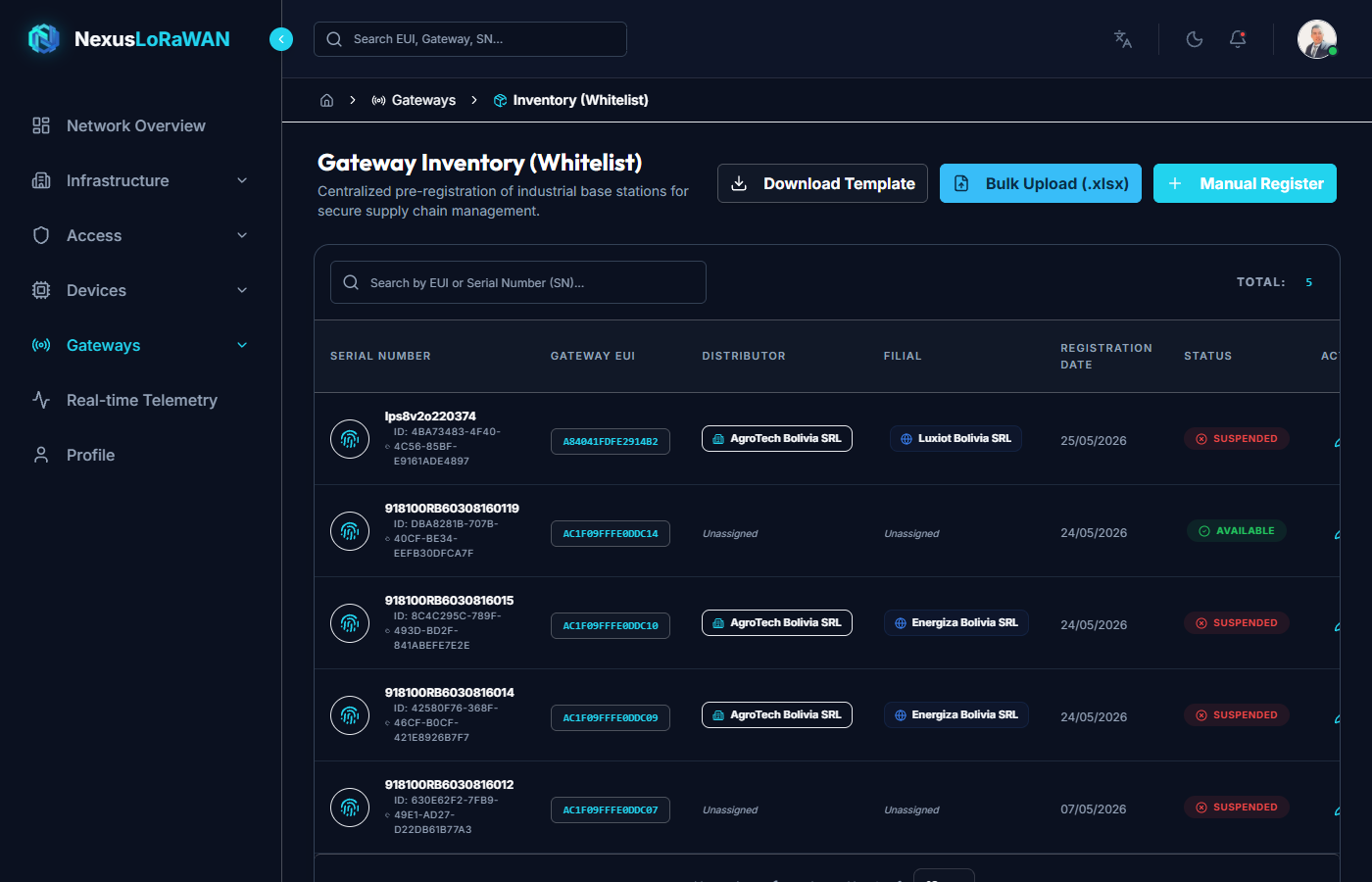
The table displays the Gateway EUI, the Serial Number (SN), the assigned Tenant/Subsidiary, and its authorization status.
Single Gateway Registration
If you are deploying a single new antenna for a specific site, use the manual registration wizard.
- Serial Number (SN) *: The physical serial number on the gateway enclosure.
- Gateway EUI *: The 64-bit globally unique identifier of the concentrator card.
- Distributor & Subsidiary: Pre-assigns the ownership of this infrastructure.
Bulk Gateway Registration
For large-scale city deployments or wholesale infrastructure providers, use the Excel bulk upload feature.
- Download the template. It is simpler than the device template since gateways don't use AppKeys.
- Fill in the
sn,eui, andenabled: TRUEcolumns. - Use the Bulk Upload modal to ingest the entire list into the Whitelist.
Once registered here, the physical Gateways can be shipped to the installation sites, ready for the field technicians to "claim" them and bring them online.